

Building the Best Gaming PC Setup for Every Budget
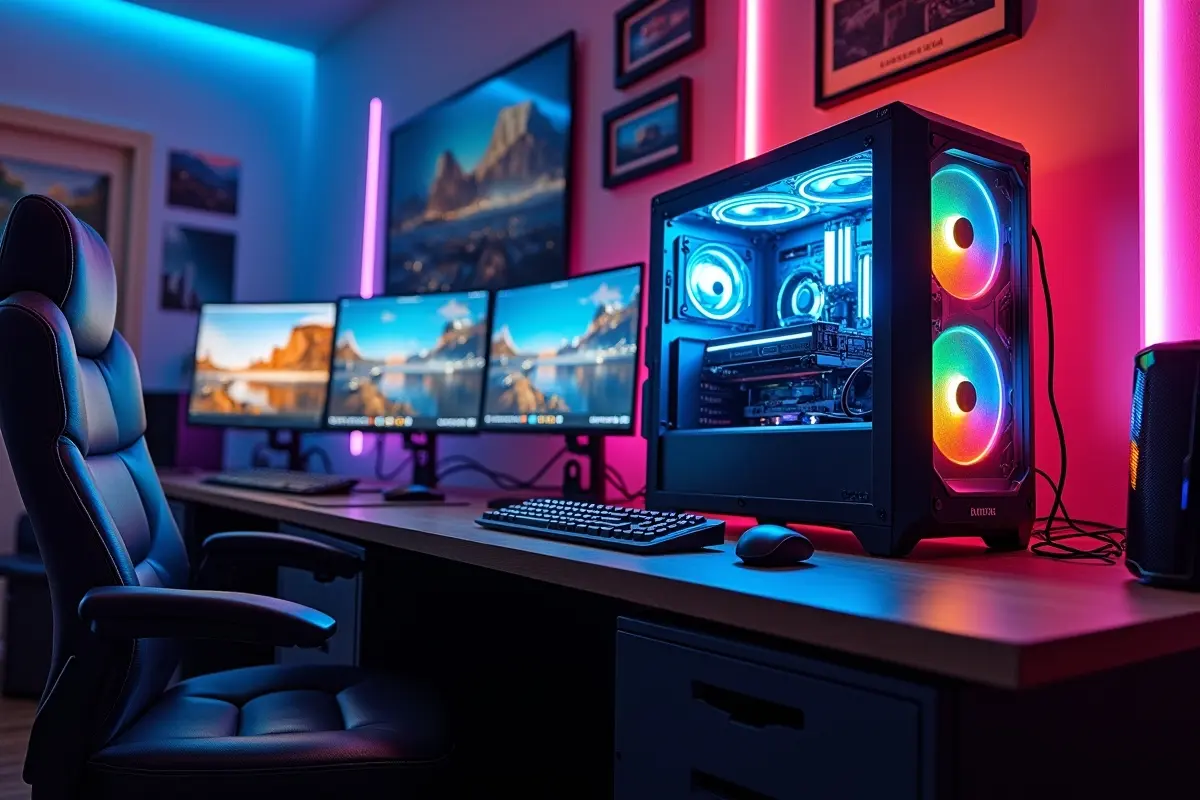
Creating your dream gaming PC is about more than just picking the flashiest components. Whether you are looking for a budget-friendly rig or a high-powered battle station, knowing how to prioritize your spending can result in a machine that delivers the best value and gaming performance. When planning your setup, browsing available gaming PC desktops can also inspire and give a sense of the current hardware landscape.
Building a PC that perfectly matches your gaming habits starts with solid research and realistic expectations. The right strategy lets you stretch your budget without sacrificing critical features of modern gaming. By focusing on essential performance categories and tracking market trends, you can assemble a system that plays everything you want at the right settings.
Understanding Your Gaming Requirements
Every gaming PC build should start with an honest assessment of your expectations. Do you want to play esports titles at high frame rates in 1080p, or are you more interested in cinematic AAA experiences at 4K with ray tracing? Identifying your target resolution, frame rates, and the types of games you play most helps define your shopping priorities.
Many beginners fall into the trap of over-investing in components that will not provide tangible benefits for their gaming use case. For example, 64GB of RAM or a PCIe Gen 5 SSD might look impressive, but they usually deliver little real-world improvement for most games compared to spending more on a faster graphics card or GPU. This makes it important to map your component list against your requirements rather than what looks best on paper.
Budget Builds: Maximizing Value
Gamers on a tighter budget can still enjoy smooth and competitive gaming experiences. For instance, a build anchored by a Ryzen 7 7600X CPU and an RTX 5060 Ti 8GB GPU, alongside 16GB of DDR5 RAM and a 1TB SSD, offers a compelling balance of price and performance for under $1,200. This combination should easily handle popular esports titles and many modern AAA games at 1080p with high settings, achieving high frame rates without breaking the bank.
When optimizing on a strict budget, look for components offering the best price-to-performance ratio. Keeping an eye on used or refurbished parts, last-generation GPUs, or deals from trusted retailers can also yield impressive savings. Additionally, consider shopping during seasonal sales or hardware launch windows, as retailers often discount older stock to make room for new models.
Timing your purchases can mean getting an even better build for your money, and joining forums or online communities can help you spot the best deals as soon as they appear. Scouring these resources increases your chances of putting together a high-quality setup while keeping costs manageable.
Mid-Range Builds: The Sweet Spot
Mid-range PC builders enjoy more flexibility in their choices, with greater headroom for higher-quality graphics and future-proofing. One smart mid-tier setup pairs a Ryzen 7 7700X CPU with an RTX 5070 GPU, 16GB RAM, and a 2TB SSD. This configuration easily accommodates 1440p gaming at high to ultra settings in the most demanding games and ensures excellent productivity or content-creation performance for secondary tasks.
Buyers should look for components with long-term support and smart features, such as motherboards with multiple M.2 slots or cases designed for optimal airflow and cable management. To avoid bottlenecks, ensure your power supply and cooling solutions match the performance level of your selected GPU and CPU.
High-End Builds: Uncompromised Performance
For enthusiasts determined to game at 4K or who want maximum performance for streaming and content creation, the upper tier of gaming hardware provides no-compromise solutions. A premium build featuring a Ryzen 7 9800X3D and an RTX 5080 GPU, alongside 32GB (or more) of DDR5 RAM and fast NVMe SSD storage, is recommended. These systems support smooth gameplay at ultra settings across multiple monitors or high-refresh displays, making them ideal for VR, 3D rendering, or heavy multitasking.
Investing in efficient cooling, high-quality power supplies, and attractive cases with good thermals becomes even more essential at this level, as premium parts can generate considerable heat under load. Premium gaming monitors, mechanical keyboards, and precision gaming mice can also complete the high-end experience. Tuning your high-end PC with performance monitoring software can further optimize system stability and push your games to their limits.
Consider utilizing adjustable RGB lighting setups, custom fan curves, and even advanced features like overclocking to maximize every ounce of performance. High-end rigs also give gamers the freedom to experiment with specialized peripherals, such as flight sticks, racing wheels, or haptic feedback gear, tailoring the gaming experience to their favorite genres.
Tips for Building on a Budget
Cost-effective PC building is about more than just picking the cheapest parts. According to How-To Geek, the best buy is the component that gives you the most frame-rate boost per dollar, typically the graphics card. Consider postponing upgrades with a less immediate impact, such as RGB lighting or elaborate cooling. Use tools like PCPartPicker to compare prices and verify hardware compatibility before making a purchase.
Staying Updated on Hardware Trends
The PC hardware landscape evolves rapidly. New generations of graphics cards, CPUs, and SSDs can quickly change what qualifies as the best value. Regularly checking trusted sources for news and deals that will ensure you catch price drops or clearances, and do not miss out on game-changing technology improvements.
Conclusion
Assembling the best gaming PC setup for any budget hinges on making informed, practical choices. By aligning your build with your gaming ambitions, properly valuing key components, and staying informed about market shifts, you can enjoy exceptional gaming performance at a price that makes sense. A thoughtful approach at every step will help you achieve a build that meets your needs now and can be easily upgraded in the future.



0